One issue I frequently encounter during my research is the need to compare an individual stock, or collection of stocks vs its ETF benchmark. To do this I need accurate ETF holdings data.
Generally this information is located on the ETF provider's website. However, this information is often inconvenient to access. Most websites including the ETF provider will do something like the following, where they only show the top 10 holdings, when what we really need is accessible only by clicking the highlighted download link.
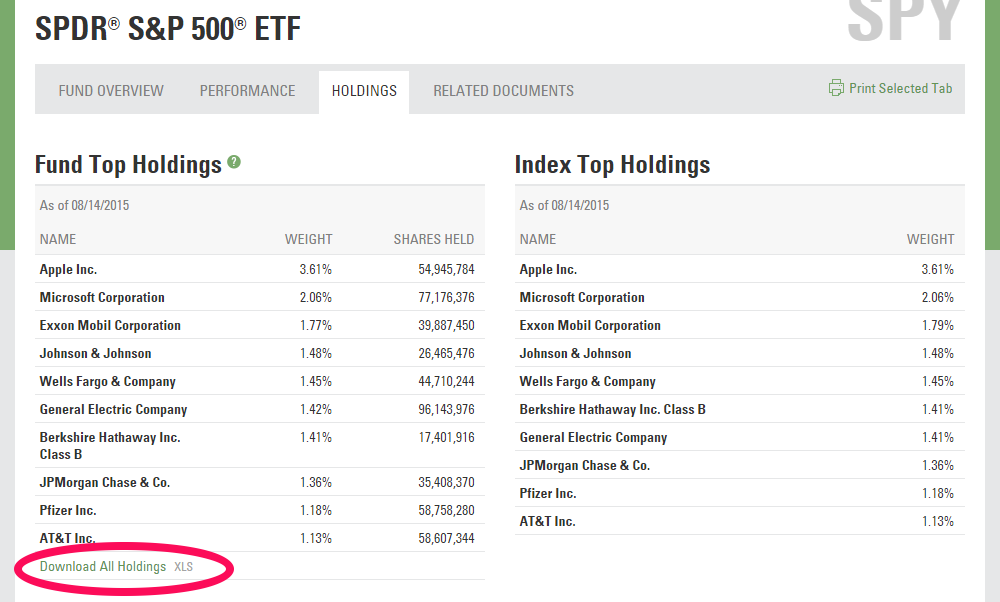
SPY ETF Holdings Page
This isn't a major issue until you need to access multiple ETF holdings pages. State Street Global Advisors is the ETF provider and this is the structure they use most frequently, therefore I figured it would be a major time saver to write a script to automate this important yet redundant task.
This code requires the following third-party modules to execute:
- Selenium
- Google Chromedriver (allows Python to open Chrome browser)
Before we get to the code, you must have Chromedriver downloaded and unzipped. Make sure to grab the filepath as we will need it.
Next you will need to grab the correct xpath's from the webpages of interest. I use xpath in this situation because the python script was able to find the correct clickable links every time without issue.
Next you need to construct a reusable generalized url string which can be used for any of the State Street ETF's. In this example we will be using SPY only. Additionally I recommend creating a generalized filepath string for the actual downloaded file. This is so we can confirm that the download has completed correctly before exiting the browser in a later step.
Now it's time to setup our chromedriver preferences via the 'ChromeOptions' method. You must define a default directory for this to work properly. During this step I also define my chromedriver filepath for convenience.
Now for the 'money' code. In this step we will instantiate the webdriver (fancy word for automated browser), tell it to navigate to our previously defined URL, tell it to wait until the 'Holdings' tab is visible, click the tab link, then wait again until the 'Download All Holdings .xls' link is visible, click it, confirm the file has downloaded and finally exit the browser.
That's it. Now you should have the SPY holdings .xls file on your local hard drive. If you want to get fancy you can throw this code into a function or class structure like I have. This allows you to run the code in a loop if, for example, you have 10 different State Street ETFs whose holdings data you need.
Blog RSS #block-yui_3_17_2_2_1439849022869_18835 .social-icons-style-border .sqs-svg-icon--wrapper { box-shadow: 0 0 0 2px inset; border: none; }